Analytics & Reporting
Read your email campaign report
1. Open the report
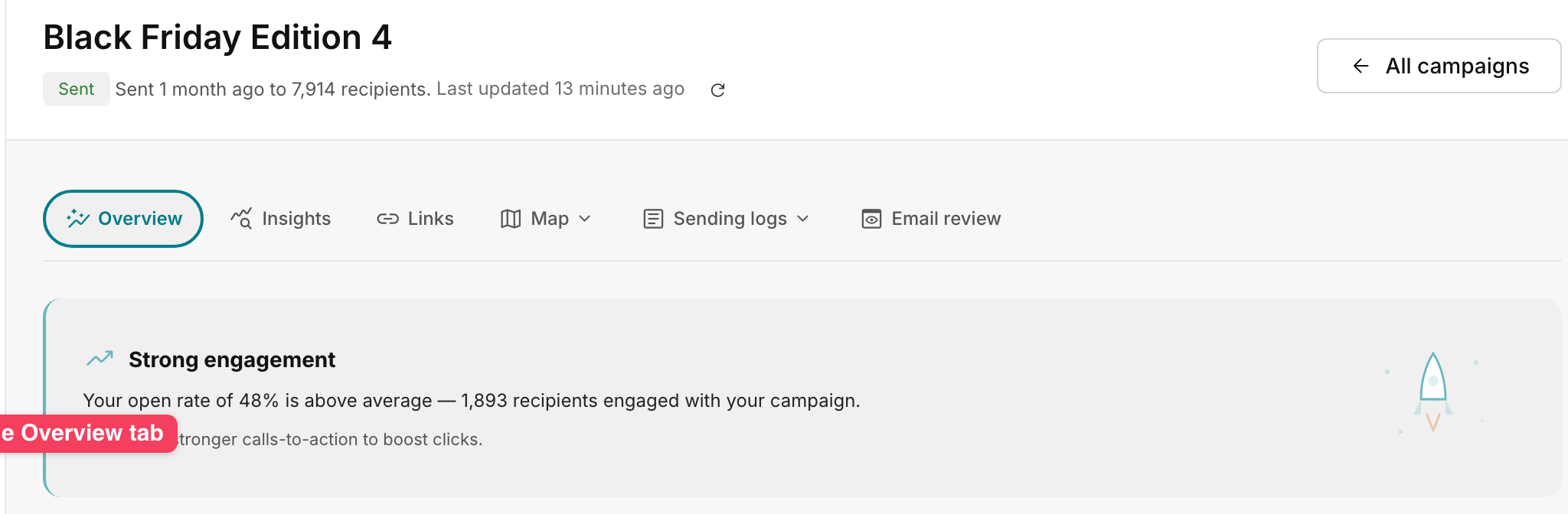
Under Campaigns → Email, select a sent campaign to open Overview. Tabs can include Insights, Links, Map, Sending logs, and Email review. Check the last-updated time and tracking settings.
2. Read the four headline metrics
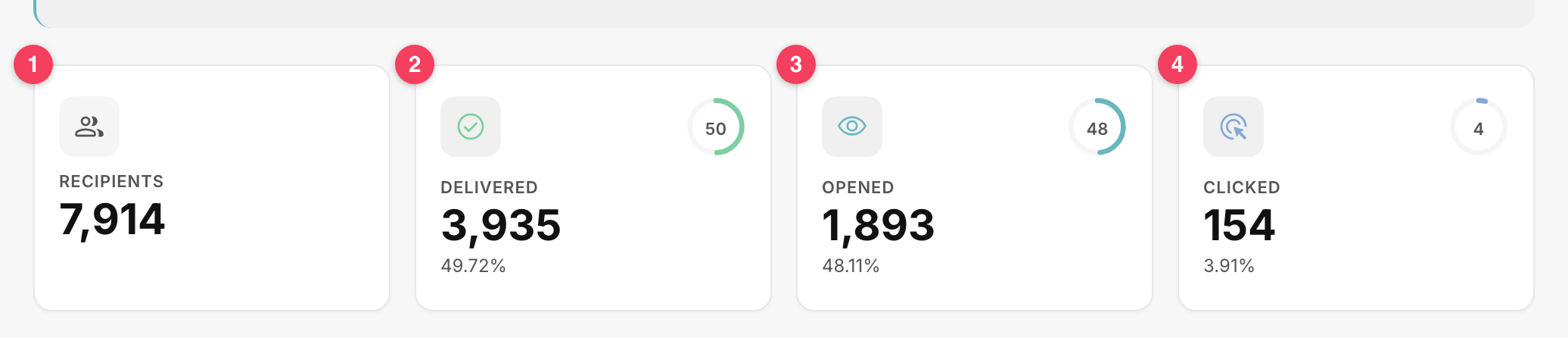
- Recipients: the audience selected for the send, 7,914 in the example.
- Delivered: messages accepted by receiving servers, 3,935 or 49.72%.
- Opened: 1,893 unique tracked opens.
- Clicked: 154 unique tracked clicks.
3. Calculate the rates
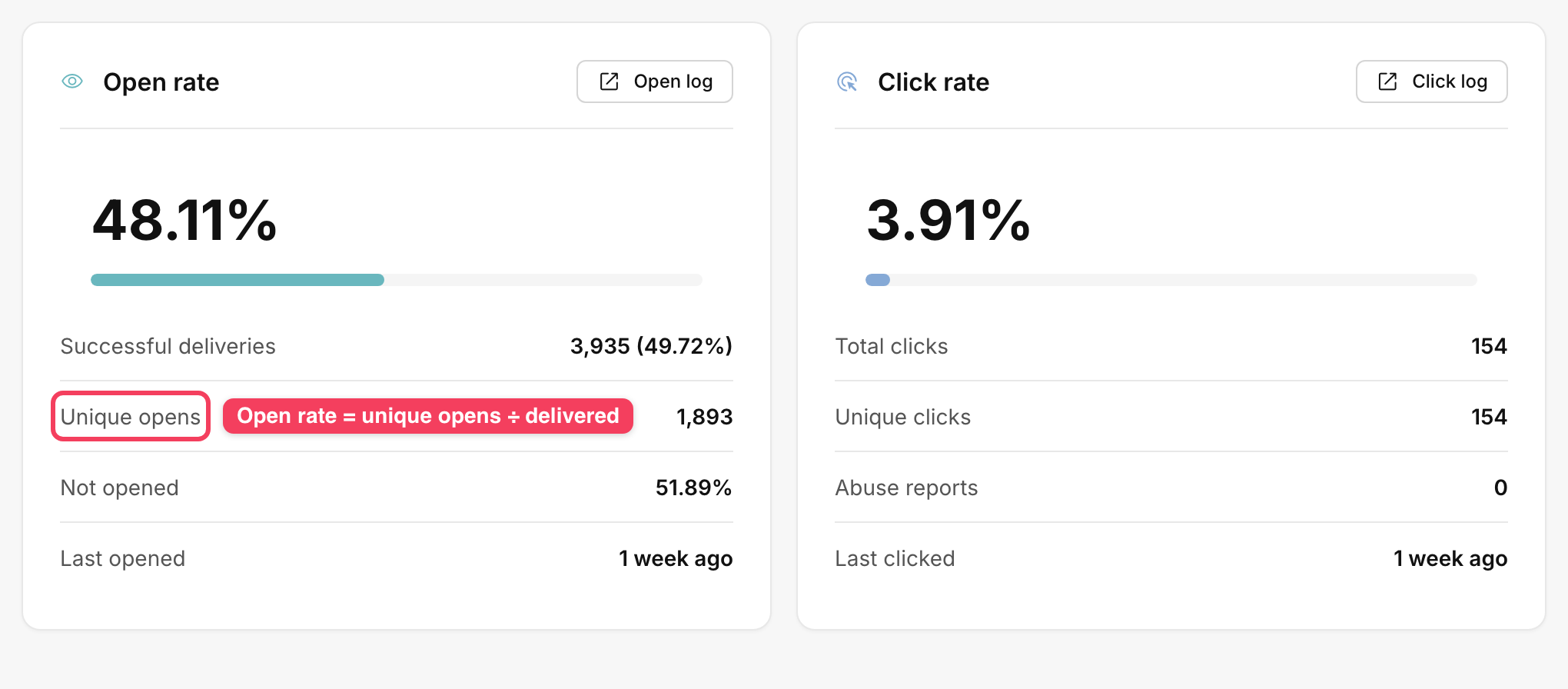
Open rate is 1,893 ÷ 3,935, about 48.11%. Click rate is 154 ÷ 3,935, about 3.91%. Both use delivered messages as the denominator. Unique clicks count recipients once. Total clicks count repeated activity as well.
4. Inspect individual records
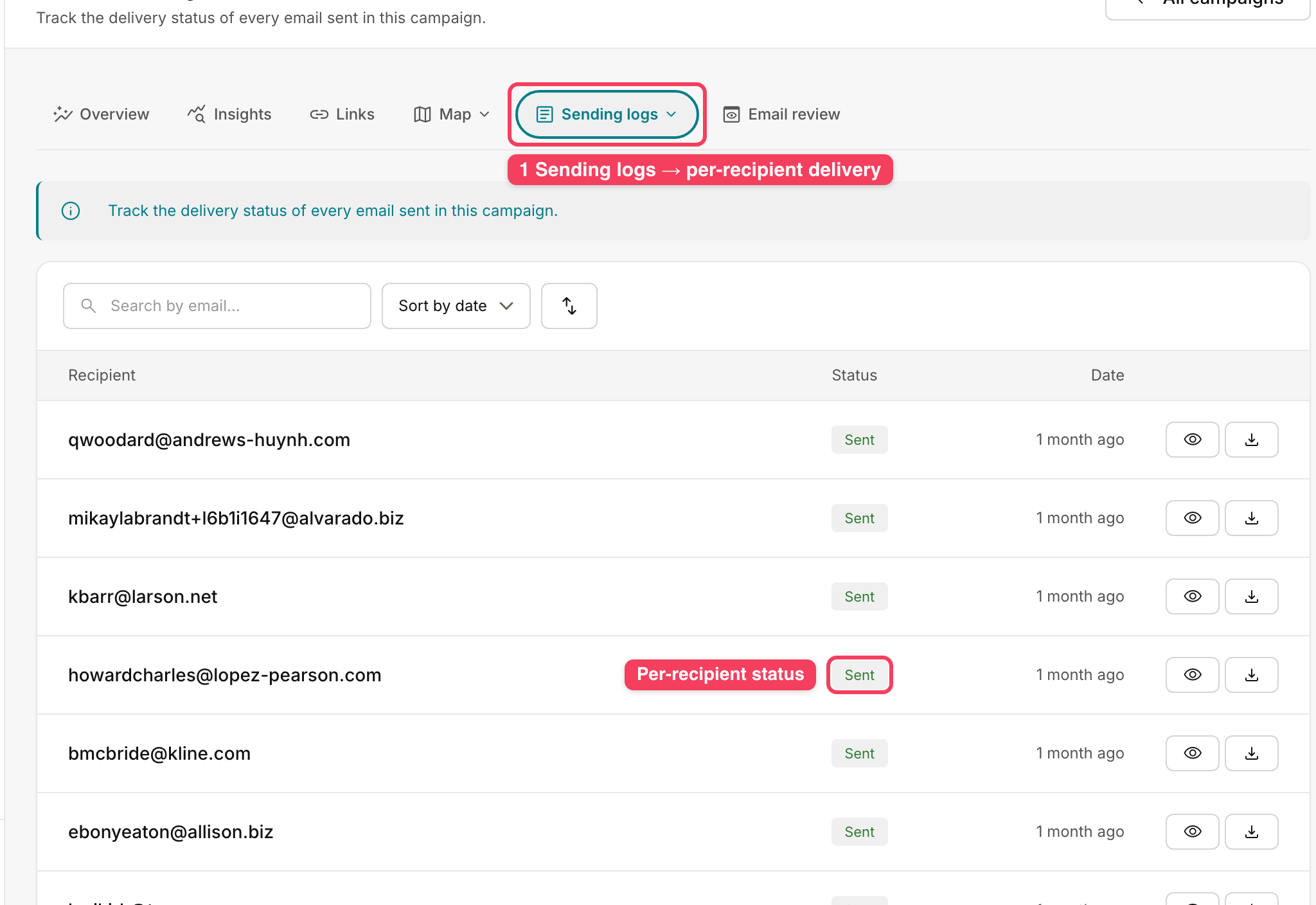
Use Open log or Click log for tracked activity. Under Sending logs → Delivery log, search by email and check status and time. Sent does not establish inbox placement. Review top links, unsubscribes, and abuse reports alongside engagement.
Troubleshooting
- If metrics look stale, refresh beside Last updated and allow time for new activity.
- Privacy features may preload tracking pixels. Security scanners can also register link clicks.
- If Delivered is much lower than Recipients, check whether the send is complete, then inspect failed, bounced, and skipped messages.